From legislative change to product application
Single Touch Payroll (STP) Phase 2 introduced new government reporting requirements for employers. These changes impacted how payroll information needed to be captured, structured, and submitted.
My role was to translate legislation into a product experience that was accurate, compliant, and usable for small businesses.
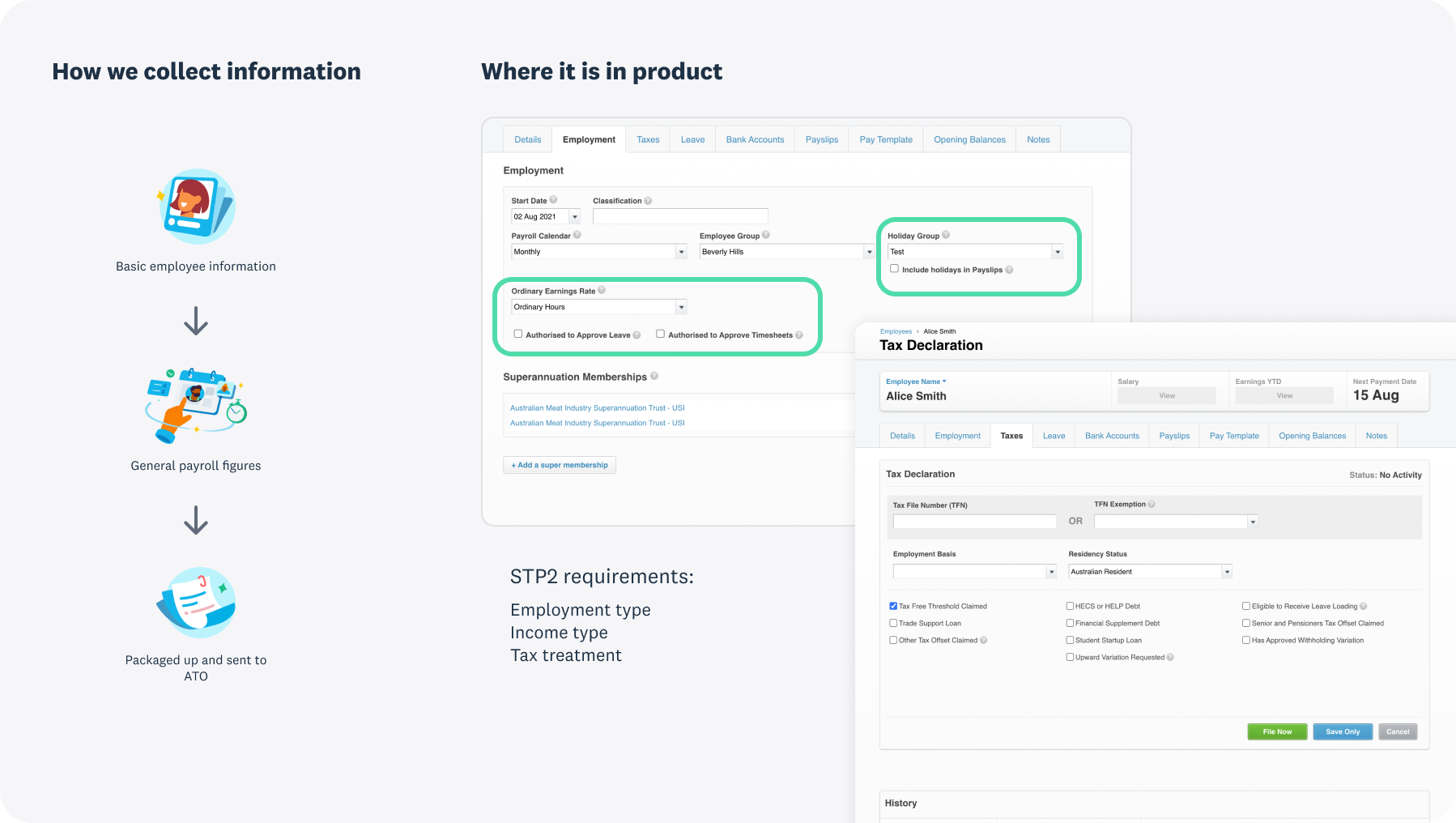
Current state — (L) How employee information is captured and reported to the ATO; (R) Employment and tax tabs highlighting touchpoints impacted by STP2.
Understanding the impact
STP2 gives the ATO and Services Australia greater visibility into detailed payroll and tax data for Australian employees and the businesses they work for. This change affects several parts of payroll, including how an employee's working relationship is defined under the new requirements. This change affects every single Australian payroll customer — around 1.9 million employees are paid through Xero — making it critical that we help them get it right. Beyond the mandatory shift, many customers were unaware of the scale of change and how it would impact their day-to-day tasks, especially since their main focus is simply paying staff on time and staying compliant.
What does this mean for our customers? Customers are unsure of what STP2 is and its impact on their payroll and compliance obligations.
HMW create a simple and intuitive setup experience, so our customers can easily define their staff's employment arrangement and fulfil their payroll and compliance obligations.
Mapping the requirements
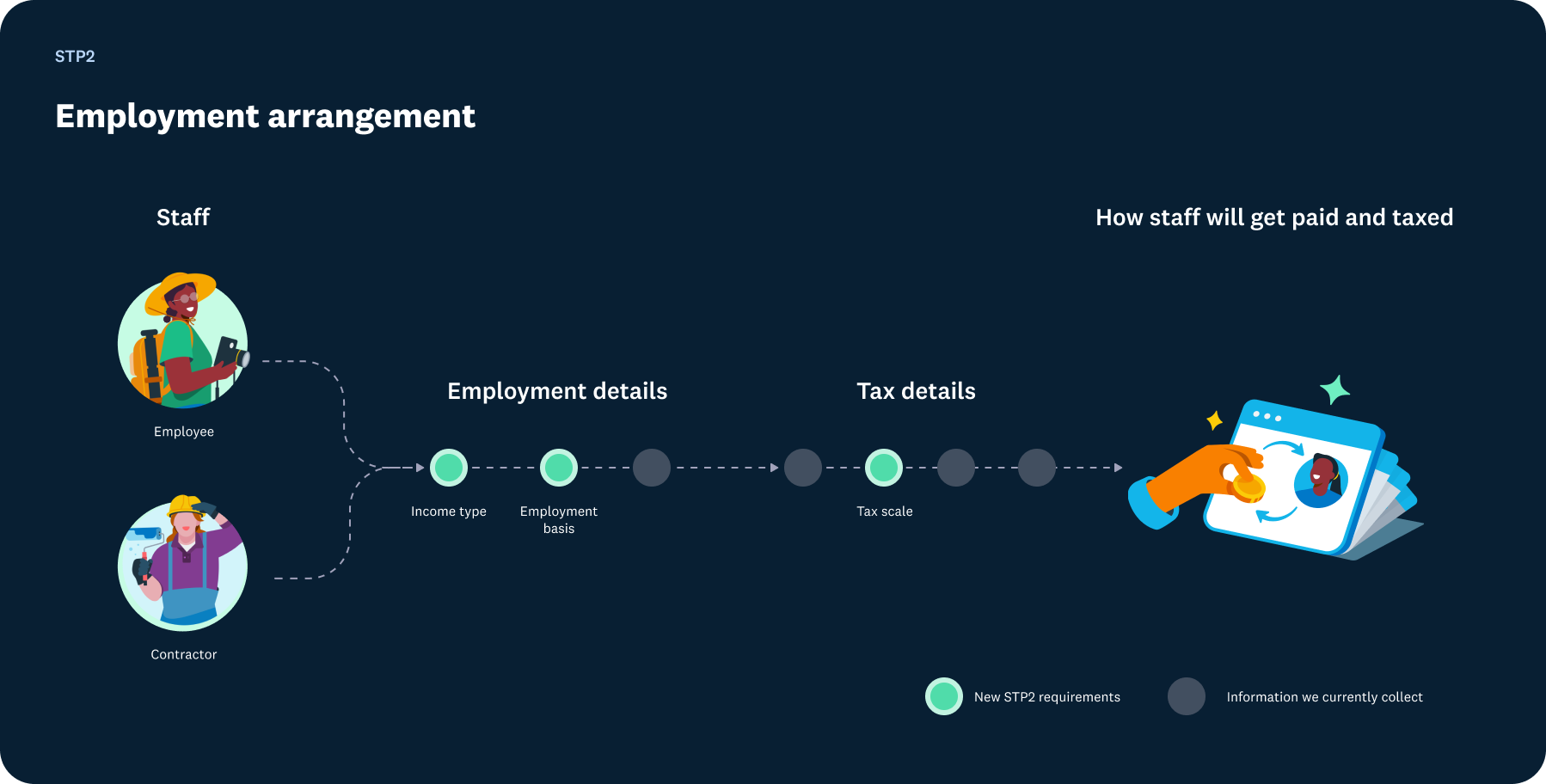
The different pieces of employment information work together to determine how an employee is taxed and how their payroll details are reported. This not only gives the government a complete picture of the employee but also defines the employer's tax responsibilities.
An employee's working arrangement defines how they're paid and taxed, also referred to as their 'working arrangement' or 'employee relationship.' While compliance drives these changes, the user experience is just as critical, ensuring customers can easily define working arrangements for STP2.
To tackle this, I leaned on foundational design methods, mapping the customer journey and drawing on past research from employee setup, STP opt-in, and tax studies, along with resources like onboarding and the employee platform. This helped us zoom into the details of employee setup while keeping a bird's-eye view of payroll touchpoints and intersections with adjacent portfolios such as Employee Platform and ESR.
Getting this right mattered because errors often only surfaced later after filing a pay run or during reporting when fixing them became much harder for customers and for the engineers.
Giving form to complexity: I created a proof of concept to visualise and communicate the conditional flows in the STP2 form.
Working closely with compliance analysts was key to shaping the logic flow. The artefact not only helped communicate early to product and engineering how the form would work and where dependencies sat in the broader payroll journey, but also clarified technical requirements. Most importantly, it raised the team's collective understanding of Single Touch Payroll by translating complex compliance rules into a clear, practical framework.
Employment and Taxes forms
Once we had confidence in how the logic would play out, we moved on to designing the new form components. The biggest challenge was connecting these components and applying logic to them, adding conditional steps or pulling in new and existing employee information from elsewhere in payroll, all without the user leaving the form.
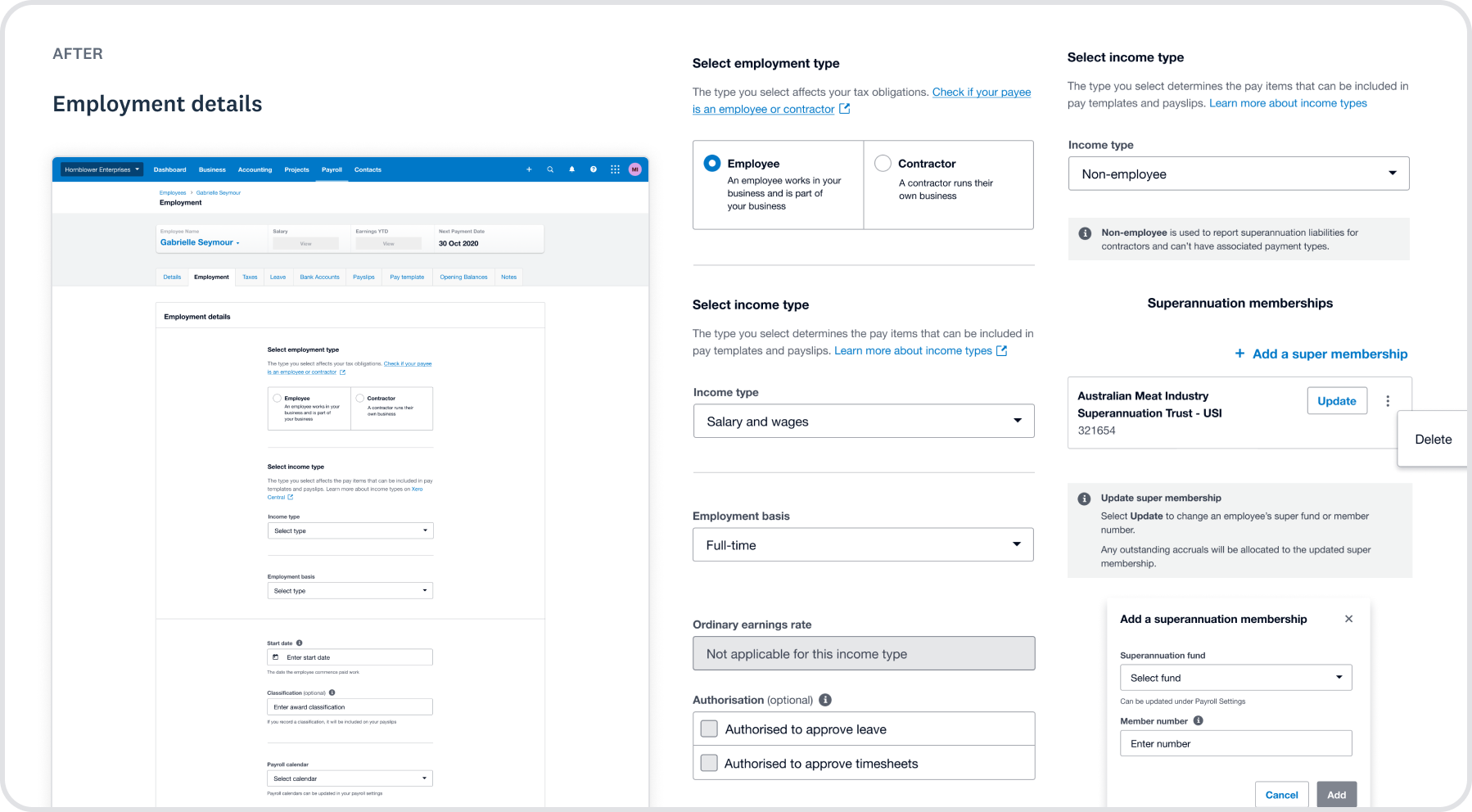
Employment form
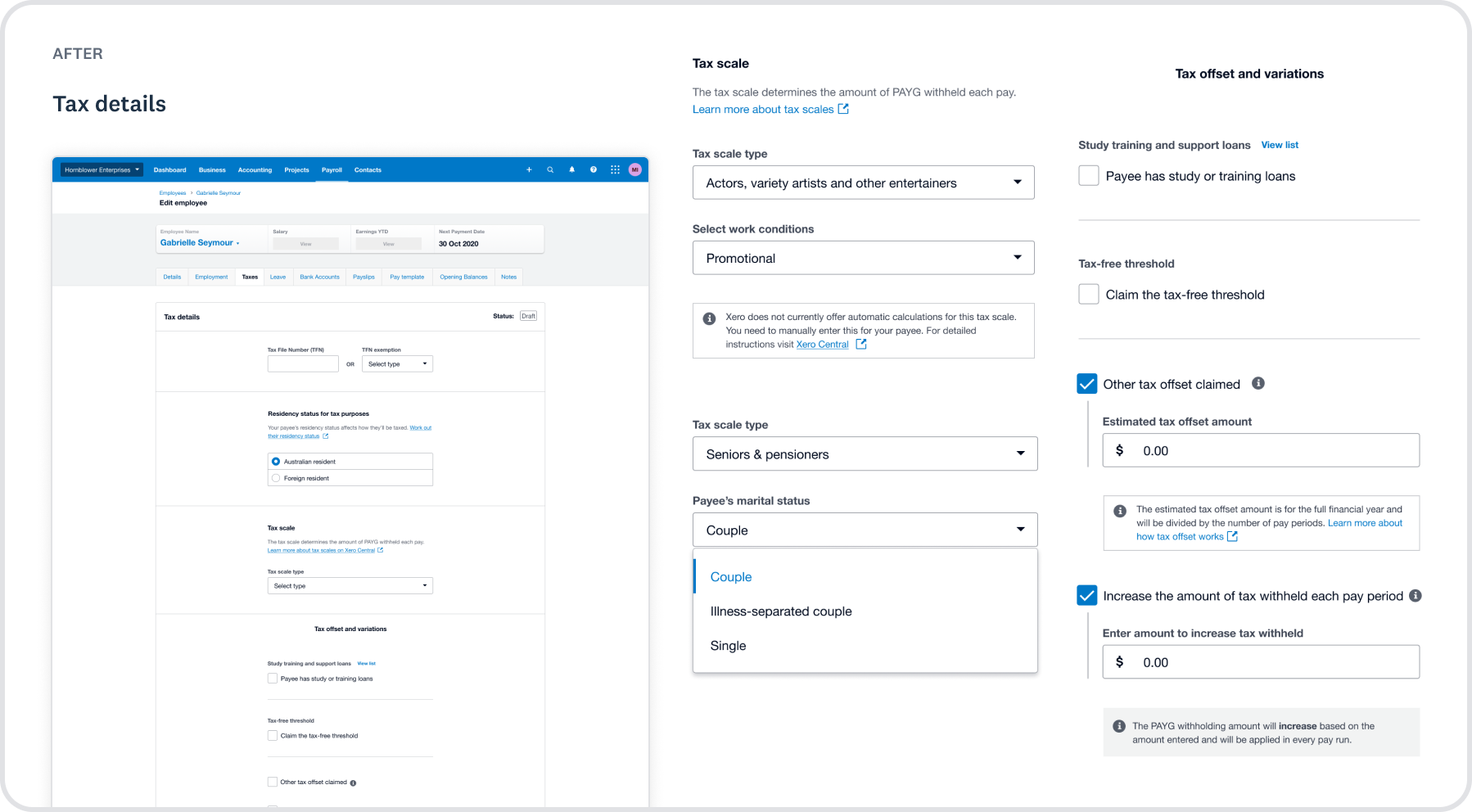
Tax details
In the redesigned flow, the fields selected in the Employment and Taxes tab shaped what pay items employees could access, such as leave or ordinary earnings. To make this easier, we introduced progressive disclosure, surfacing only the information relevant to each choice so payroll admins weren't overwhelmed with details all at once.
Content as a design layer
With new requirements added to the form, we needed to provide context by linking knowledge articles and legislative definitions to help users make the right choices. I rethought how supporting information could follow the user — whether shown upfront or revealed only when timely and relevant. We tested this idea as part of our Employee Setup research, and early feedback has been positive.
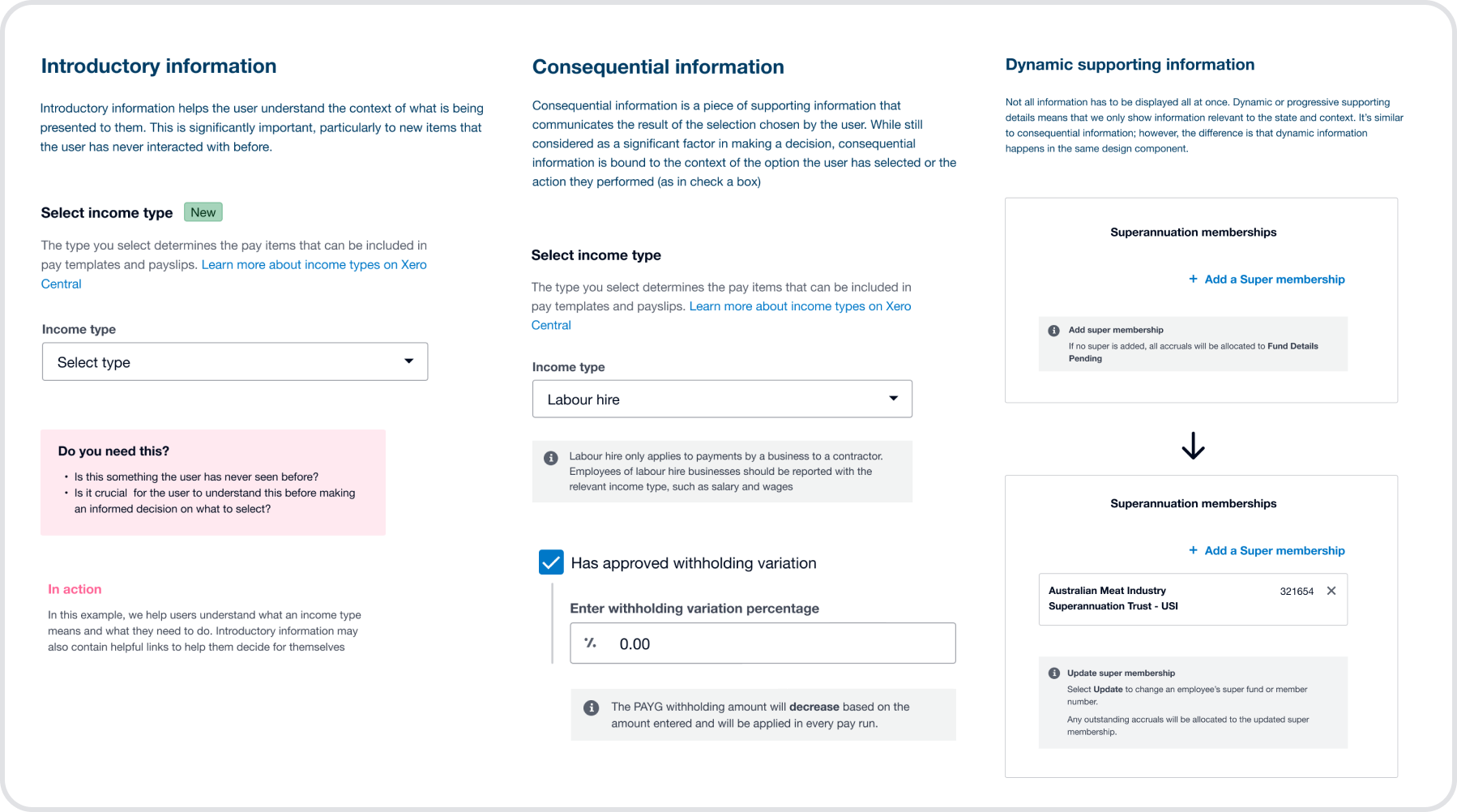
A guideline for displaying supporting information in the Employment and Taxes tabs
Post-launch
98.75% task completion for the transition, significantly higher than the 78% benchmark, across 1.9M employees paid through Xero.
Positive reception from AU customers, with encouraging feedback shared on social media and other support channels about the improved form.
New design system component added to Xero's UI library (XUI), addressing knowledge gaps and helping customers make more confident, informed decisions.
✨ The result: a compliant, guided flow that helped small businesses and accountants adapt to STP2 with less friction, while setting a foundation for scalable future payroll features.
'I like the way it flows through more now with a bit more of a step by step process, I think that would be really good for people setting up payroll employees…'
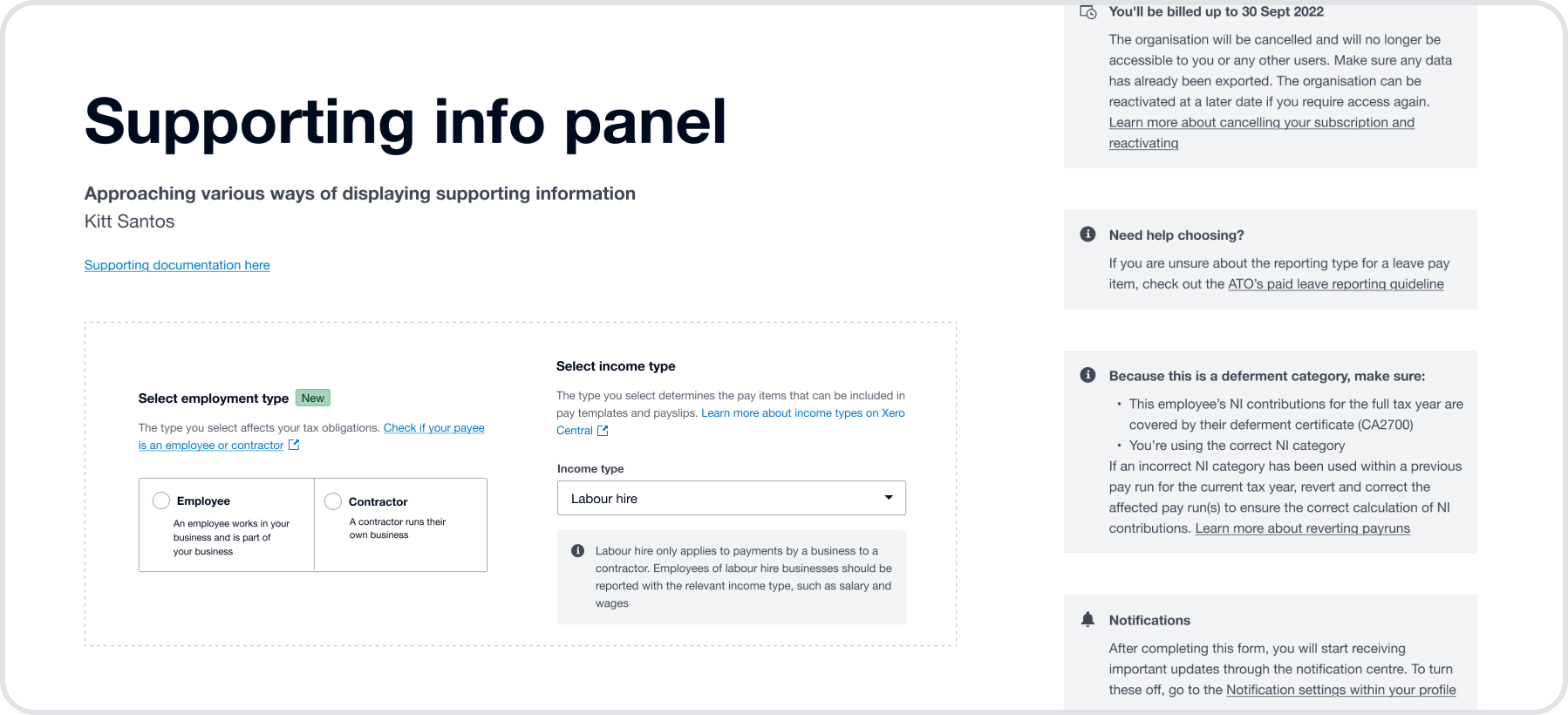
The supporting information patterns I designed for the Employment and Tax Details form were adopted into Xero's design system, XUI.
Takeaways
Translating complexity: Legislative requirements are often written in inaccessible language. Partnering closely with compliance specialists allowed us to translate this into clear, actionable UI.
Designing for confidence: Our users aren't experts in payroll or tax. The goal wasn't just compliance, but creating a sense of clarity and reassurance.
Reusable patterns: Complex problem-solving here laid the groundwork for scalable design patterns across payroll and compliance features.